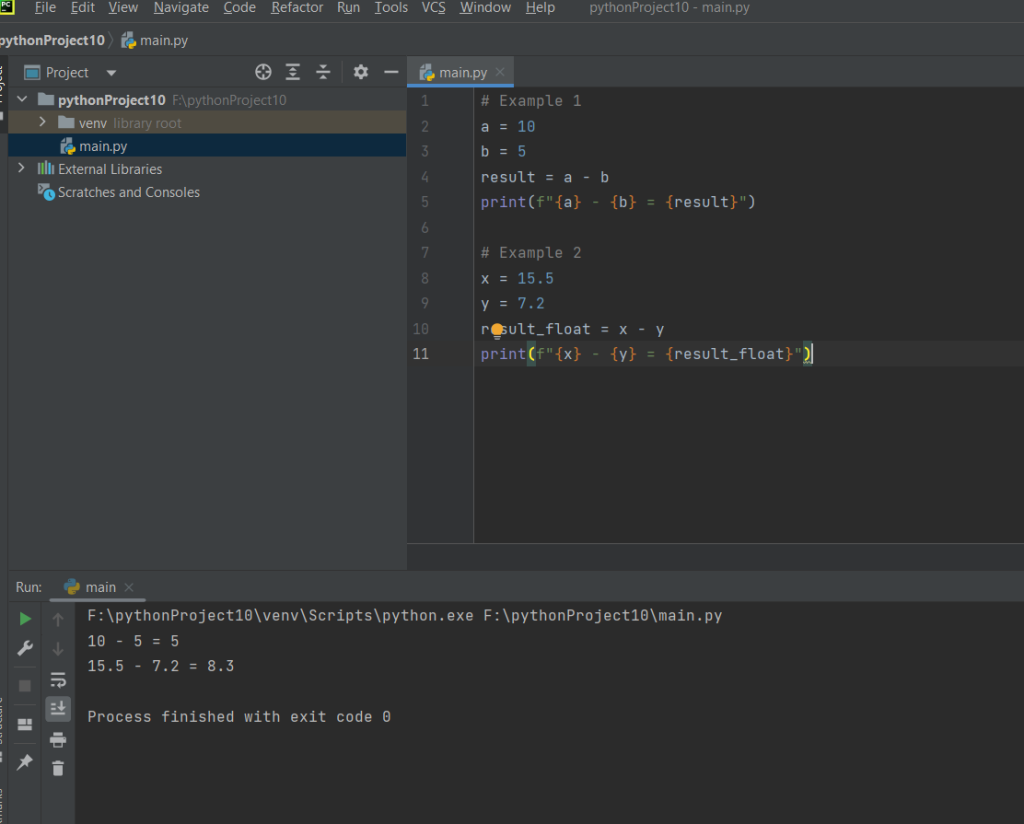
The provided Python code demonstrates the implementation of subtraction operations. Two examples are given to showcase subtraction with both integers and floating-point numbers. In the first example, two integer variables, a and b, are subtracted, and the result is stored in the variable result. The second example involves floating-point numbers, x and y, with the subtraction result stored in the variable result_float. The print function is used to display the subtraction expressions along with their respective results. This code provides a basic illustration of how subtraction can be performed in Python, showcasing its flexibility to handle both integer and floating-point arithmetic.
Source code
# Example 1
a = 10
b = 5
result = a - b
print(f"{a} - {b} = {result}")

# Example 2
x = 15.5
y = 7.2
result_float = x - y
print(f"{x} - {y} = {result_float}")
Description
- Variable Assignment:
- Two integer variables,
aandb, are assigned the values 10 and 5, respectively. - Two floating-point variables,
xandy, are assigned the values 15.5 and 7.2, respectively.
a = 10 b = 5 x = 15.5 y = 7.2
- Subtraction Operation:
- Integer subtraction: The variables
aandbare subtracted, and the result is stored in the variableresult. - Floating-point subtraction: The variables
xandyare subtracted, and the result is stored in the variableresult_float.
result = a - b result_float = x - y
- Print Statements:
- The
printfunction is used to display the subtraction expressions along with their respective results.
print(f"{a} - {b} = {result}") print(f"{x} - {y} = {result_float}")
- Output:
- When the code is executed, it will output the results of the subtraction operations for both integer and floating-point scenarios.
10 - 5 = 5 15.5 - 7.2 = 8.3
In summary, the code initializes variables with specific values, performs subtraction operations on both integers and floating-point numbers, and then prints the results, demonstrating the basic usage of the subtraction operator in Python.
Screenshot