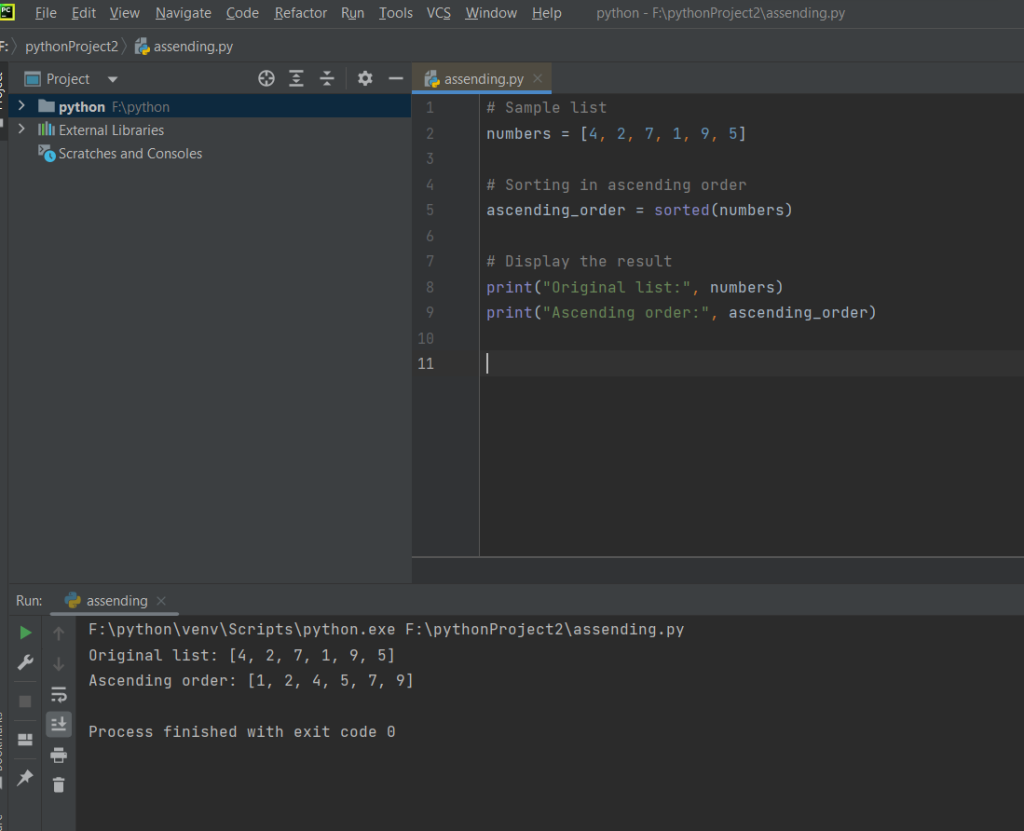
The provided Python code demonstrates how to sort a list of numbers in ascending order. It utilizes the sorted() function, which returns a new list containing the sorted elements of the original list. The sample list, ‘numbers’, is initially defined with unsorted values. The code then applies the sorted() function to create a new list, ‘ascending_order’, which is displayed alongside the original list for comparison. Alternatively, the code illustrates the use of the sort() method for in-place sorting, directly modifying the original ‘numbers’ list. Both approaches result in the list being arranged in ascending numerical order, providing flexibility based on whether a new sorted list or an in-place modification is desired. The printed output showcases the original list and the sorted version, facilitating a clear understanding of the sorting process.
Source code
original_list = [4, 2, 7, 1, 9, 5]
sorted_list = sorted(original_list)

print("Original List:", original_list)
print("Sorted List (Ascending Order):", sorted_list)- List Initialization:
- A list named
numbersis initialized with a collection of unsorted numeric values.
python.
numbers = [4, 2, 7, 1, 9, 5]
- Sorting Using
sorted()Function:
- The
sorted()function is applied to thenumberslist. - The result is assigned to a new list named
ascending_order.
ascending_order = sorted(numbers)
- Displaying Original and Sorted Lists:
- The original list (
numbers) and the sorted list (ascending_order) are printed for comparison.
print("Original list:", numbers) print("Ascending order:", ascending_order)
- Sorting In-Place Using
sort()Method:
- The
sort()method is applied to the originalnumberslist, sorting it in-place.
numbers.sort()
- Displaying Sorted List In-Place:
- The modified original list (now sorted) is printed.
print("Ascending order:", numbers)Example output:cssCopy codeAscending order: [1, 2, 4, 5, 7, 9]
- The modified original list (now sorted) is printed.
In summary, the code initializes a list, sorts it using both the sorted() function and the sort() method, and then displays the original and sorted lists for comparison. The two sorting methods offer flexibility depending on whether a new sorted list or an in-place modification is desired.
Screenshot