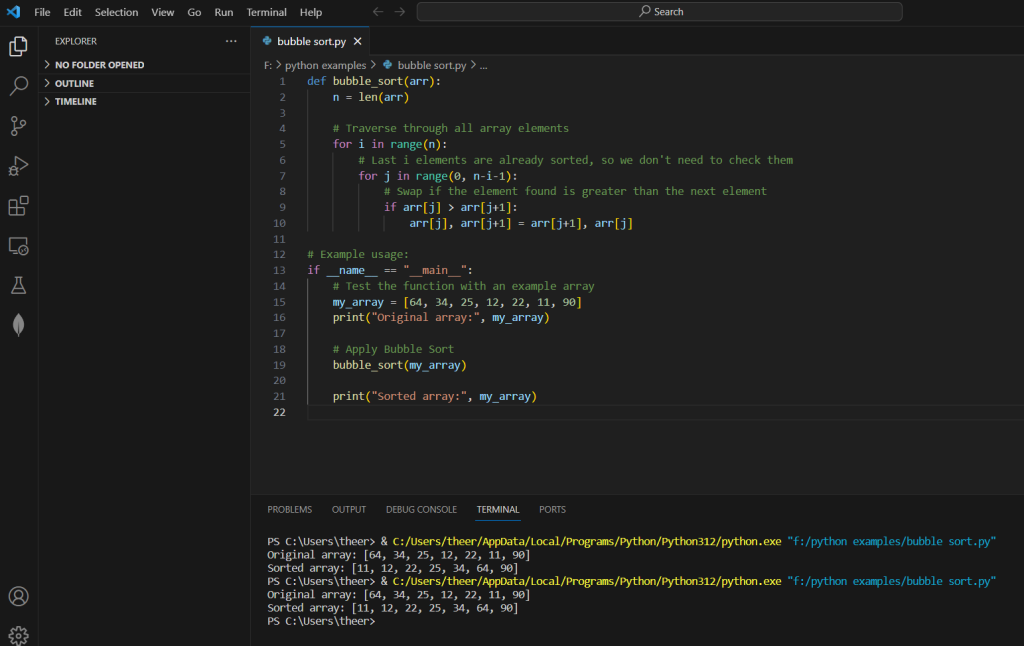
The provided Python code implements the Bubble Sort algorithm, a straightforward and elementary sorting technique. The bubble_sort function takes an input list, arr, and iterates through its elements multiple times. In each iteration, it compares adjacent elements and swaps them if they are in the wrong order, with the ultimate goal of moving the largest unsorted element to its correct position at the end of the list. This process is repeated until the entire list is sorted. The example usage section demonstrates how to apply the bubble_sort function to an array, showcasing its ability to organize elements in ascending order. It is important to note that while Bubble Sort is easy to understand, it is not the most efficient sorting algorithm for large datasets, and more advanced algorithms like Quick Sort or Merge Sort are often preferred in practical applications.
Source code
def bubble_sort(arr):
    n = len(arr)

    # Traverse through all array elements
    for i in range(n):
        # Last i elements are already sorted, so we don't need to check them
        for j in range(0, n-i-1):
            # Swap if the element found is greater than the next element
            if arr[j] > arr[j+1]:
                arr[j], arr[j+1] = arr[j+1], arr[j]

# Example usage:
if __name__ == "__main__":
    # Test the function with an example array
    my_array = [64, 34, 25, 12, 22, 11, 90]
    print("Original array:", my_array)

    # Apply Bubble Sort
    bubble_sort(my_array)

    print("Sorted array:", my_array)
Description
- Function Definition:
def bubble_sort(arr):Here, a function namedbubble_sortis defined, which takes a single parameterarr, representing the input list that needs to be sorted. - Get the Length of the Array:
n = len(arr)The variablenis assigned the length of the input arrayarr. This will be used to determine the number of iterations needed to sort the array. - Outer Loop – Traverse the Array:
for i in range(n):The outer loop iterates over the entire array. It helps in controlling the number of passes through the array, with each pass ensuring that the largest unsorted element is moved to its correct position. - Inner Loop – Compare and Swap:
for j in range(0, n-i-1):The inner loop compares adjacent elements in the array up ton-i-1, whereiis the current iteration of the outer loop. This ensures that the largest element is moved to the end of the unsorted portion of the array. - Check and Swap:
if arr[j] > arr[j+1]: arr[j], arr[j+1] = arr[j+1], arr[j]Within the inner loop, adjacent elements are compared, and if they are in the wrong order, they are swapped. This process is repeated until the end of the array. - Example Usage:
if __name__ == "__main__": my_array = [64, 34, 25, 12, 22, 11, 90] print("Original array:", my_array) bubble_sort(my_array) print("Sorted array:", my_array)This section demonstrates the usage of thebubble_sortfunction with an example arraymy_array. The original array is printed, the sorting is performed usingbubble_sort, and then the sorted array is printed.
In summary, the Bubble Sort algorithm works by repeatedly stepping through the list, comparing adjacent elements, and swapping them if they are in the wrong order. The process is repeated until the entire list is sorted. The example usage showcases how to apply this sorting algorithm to a given array.
Screenshot